 Scavenger Hunt App & Interactive City Tours | Globe Chaser


A school orientation scavenger hunt gives new students a practical reason to explore their campus: find the library, learn where to ask for help, and work through small challenges with classmates. With Globe Chaser, you can turn those everyday discoveries into a guided mission built around your own school.
The most useful version starts with places students will need next week. Instead of asking them to memorize a map, let them follow a short route, notice a detail, and explain what they would do in a real situation. Here’s a five-stop example you can adapt for upper elementary or middle school students.
Why start with a campus orientation hunt?
For a new student, “go to the office” isn’t helpful until they know where that office is and who they can approach. An orientation hunt creates opportunities to practice those moments while a teacher or assigned adult is available.
Keep the goal simple: by the end, each student should be able to identify a few important places, describe one way to get support, and name a classmate they worked with. You don’t need difficult riddles or a long route to make that worthwhile.
Give the activity a welcoming story, such as “Your First Campus Mission.” Students become a discovery team collecting useful knowledge for their first week. Completion and conversation matter more than finishing ahead of another group.
How Globe Chaser fits scavenger hunts for schools
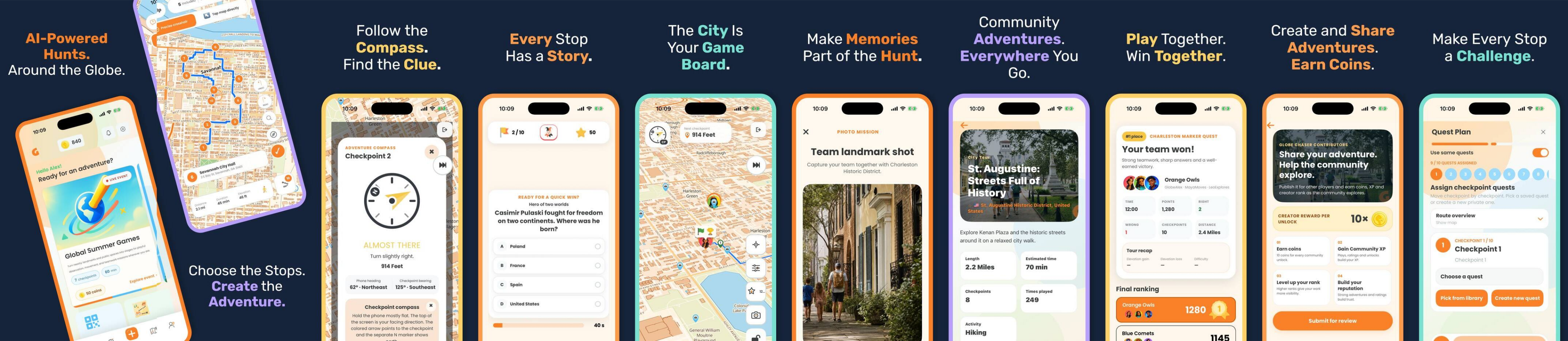
Globe Chaser combines routes and location-based questions with formats such as multiple choice, open answers, and photo tasks. Its school offering also includes reusable learning adventures, class and team organization, and progress monitoring. You can find the current options on the Globe Chaser page for schools and educational institutions.
For this orientation example, choose a short campus route and add one purposeful task at each stop. Use a shared school-approved device where your setup permits it, and give students different roles so the person holding the screen doesn’t make every decision.
The station plan below is an activity you create for your campus, rather than a claim that a finished orientation template is already waiting in your account. Test the selected setup on your school’s devices before using it with a class.
Five school orientation missions you can adapt
Select locations that are open, accessible, and approved for the activity. Give staff advance notice if a station includes a conversation. Replace the example details with your school’s actual procedures and check every expected answer.
| Campus stop | Example mission | What shows completion? |
|---|---|---|
| Library entrance | Find where borrowing information is displayed. Tell your group how you would ask for help choosing a book. | Identify the correct information point and practice a suitable question. |
| Student support or main office | Find the approved help point. Who should you approach if you cannot find your classroom? | Name the correct staff role or help desk using the school’s agreed answer. |
| Lunch area | Locate the sign or staffed point explaining the lunch routine. Describe where you would start. | Explain the actual first step in your school’s lunch process. |
| Courtyard or outdoor learning space | Choose one visible feature and describe it clearly enough for a teammate to identify it. | The teammate identifies the feature from the description. |
| Agreed meeting point | Return to the finish and explain how to reach one earlier stop using two recognizable landmarks. | Give a route description the supervising adult can verify. |
All five missions can work without photographing students or collecting personal details. If you use a photo task, a building feature or sign can provide the evidence instead. Follow your school’s existing device and image arrangements.
Make a clue useful, not cryptic
Compare “Seek the keeper of a thousand worlds” with “Find the library entrance. Look for the borrowing information and discuss what you would ask if you needed help.” The second prompt gives a new student a clearer purpose.
You can add playful wording once the task is understandable. For younger readers, use a recognizable location photo and a short instruction. For older students, add a scenario: “You have a research assignment and don’t know which source to use. What could you ask here?”
Include one real conversation
Ask a librarian, office team member, or student-support colleague to welcome each group briefly at a planned time. Let students rehearse a question with their team before one person asks it.

Give students the option to contribute by suggesting the question, reading it aloud, or summarizing the answer. Participation should have more than one form. The aim is to make approaching a helpful adult feel familiar.
A 45-minute first-session plan
This is a suggested starting schedule, not a promised completion time. Walk the route and adjust it for your campus, group, and supervision needs.
- First 8 minutes: welcome students, explain the boundaries, demonstrate one task, and assign roles.
- Next 25 minutes: visit the five stations, including walking and staff conversations.
- Next 7 minutes: return to the meeting point and let students explain a useful discovery.
- Final 5 minutes: answer remaining questions and check that each student knows where to go next.
A compact route makes this schedule more realistic. If the stops are far apart, remove a station or allow more time. Arrange group start times so students aren’t all waiting at the same office door.
Give every student a part in the mission
Rotate four simple roles
For a group of four, try a reader, observer, navigator, and reporter. The reader shares the prompt; the observer checks the surroundings; the navigator discusses the next direction with the group; and the reporter explains the team’s answer. Rotate roles at the next stop.
The supervising adult remains responsible for the group’s movement and boundaries. A student navigator is practicing a skill, not taking over that responsibility.
Make success about useful knowledge
You can recognize clear directions, careful observation, or a thoughtful question. Avoid making speed the main achievement: the student who needs an extra explanation should still feel part of the team.
At the finish, ask each student one small question independently: “Where would you go if you needed help finding a room?” This checks whether everyone has learned something, rather than only the teammate who entered the answers.
Prepare once, then keep the mission accurate
Before launch, check the route in person, confirm staff availability, and try the tasks on the devices and connection you will use. Verify how the app behaves near buildings and at any indoor stops. Keep an adult-led alternative ready for a device problem or a location that becomes unavailable.
After the activity, note which directions caused hesitation. Update those prompts before reusing the adventure for new arrivals or another class. Check room names and staff arrangements again whenever the school changes them.
Once students know their campus, you can extend the same approach into a curriculum activity or an off-campus visit. Our guide to planning a school field-trip scavenger hunt covers that next step.
Start with five places your students genuinely need to know. Build a small mission around them, test it with colleagues, and give your new class a shared adventure with a useful result: knowing their school and feeling more comfortable asking questions.